
Screenshots

App details
- Version
- 4.0.1.1013 | 4.0
- Size
- 1.14 MB
- Updated
- May 24, 2023
- Requires
- Windows 10
- Language
- English
- License
- Free
- Developer
- ACD Systems International Inc.
- Category
- Windows OS
SoftPas in:
This product is also available in the following languages:
About ACDSee Video Studio
Download ACDSee Video Studio – Easy, Secure & Powerful Video Editing Tool
Overview
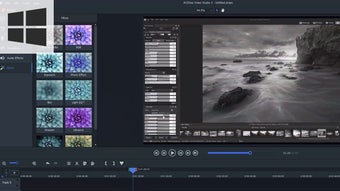
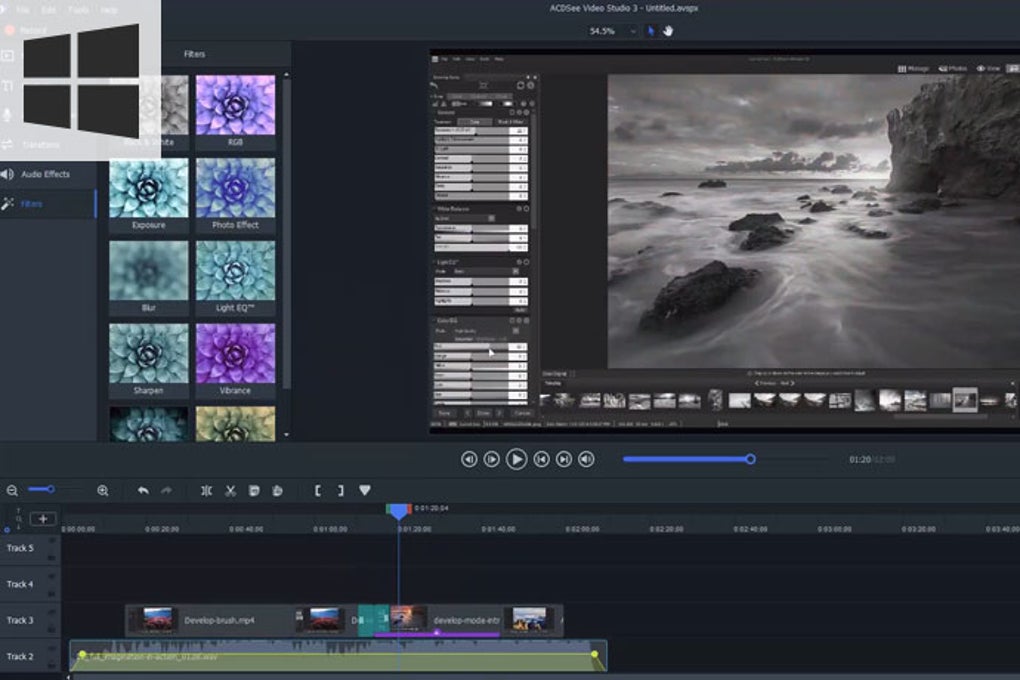
ACDSee Video Studio is a lightweight yet surprisingly capable multimedia application designed to make video creation simple without sacrificing essential functionality. Targeted primarily at beginners and hobbyists, the program offers a broad spectrum of editing tools—transitions, filters, audio effects, color LUTs, and even advanced features such as clip speed and mosaic—while presenting them in an intuitive, clutter‑free interface. One of its standout advantages is the built‑in sharing solution that lets you upload finished projects directly to popular platforms like YouTube and Vimeo without leaving the app. Whether you’re polishing a family vacation clip, crafting a short promotional video, or experimenting with motion graphics, ACDSee Video Studio provides a secure, free‑trial experience that feels modern and responsive on Windows and macOS. The software balances simplicity with depth, allowing new users to master core functions within a few hours while still offering enough customization for more detailed projects. Its streamlined workflow eliminates unnecessary windows, and the timeline‑first layout mirrors industry standards, ensuring that you can transition to more advanced editors later with minimal relearning. In short, ACDSee Video Studio delivers a user‑friendly video editing environment that doesn’t compromise on export quality, supporting resolutions up to 4K and a wide array of file formats.
Key Features & Tools
- Intuitive Timeline Interface – A clean timeline with drag‑and‑drop support, eliminating the need for multiple floating windows.
- Rich Transition Library – Over 50 built‑in transitions, plus the “Behavior” hybrid that blends motion and transition effects.
- Advanced Color Management – Color LUT import, pre‑installed LUTs, and color removal tools for professional‑grade grading.
- Audio Editing Suite – Voice‑over recording, audio effects, background music integration, and volume keyframing.
- Special Effects – Clip speed control, mosaic, chroma key (green screen), and customizable overlays.
- Direct Publishing – One‑click export to YouTube, Vimeo, or local storage in formats ranging from MP4 to MOV, including 4K support.
- Export Flexibility – Choose from preset device profiles (smartphone, tablet, social media) or set custom resolution, bitrate, and codec.
- Project Templates – Ready‑made templates for intros, slideshows, and promotional videos to accelerate workflow.
- Multi‑Platform Support – Fully compatible with Windows 10/11 and macOS 10.15+.
- Secure Updates – Automatic, signed updates keep the app free from vulnerabilities and introduce new features regularly.
While the feature list may seem comparable to more expensive suites, ACDSee Video Studio differentiates itself through its “single‑window preview” approach. When you click a media clip, the preview appears in a dedicated pane rather than opening a separate player, keeping your workspace tidy. The program also offers a subtle but powerful “behavior” effect, which blends transitional motion with animated overlays—ideal for creating dynamic title sequences without third‑party plugins. Moreover, the LUT system enables colorists to import .cube files, making it possible to apply Hollywood‑style grading presets instantly. For audio enthusiasts, the built‑in voice‑over recorder works with any USB microphone, allowing you to add narration directly on the timeline. Overall, the feature set balances depth with approachability, ensuring that even first‑time editors can achieve polished results quickly.
Installation, Usage & Compatibility
Step‑by‑Step Installation
Installing ACDSee Video Studio is straightforward. Begin by visiting the official ACDSee website and clicking the “Download Free Trial” button. The installer is a small, secure .exe for Windows or .dmg for macOS, signed with a trusted certificate to prevent tampering. Once downloaded, run the installer and follow the on‑screen prompts: accept the license agreement, choose an installation folder (the default is recommended for most users), and let the wizard complete the process. After installation, the program registers itself as a default video editor for common file types, which speeds up the workflow when you double‑click media files in Explorer or Finder.
First‑Run Experience
On first launch, you’ll be greeted by a brief tutorial that highlights the media import button, timeline navigation, and the preview pane. The tutorial can be skipped if you prefer to explore on your own. Importing media is as simple as dragging files into the media library or clicking the “Import Media” button to browse your folders. ACDSee Video Studio supports virtually every popular video format—MP4, MOV, AVI, MKV, and more—so you rarely encounter compatibility issues. Once your clips are in the library, drag them onto the timeline, add transitions from the “Effects” panel, and adjust audio levels with the built‑in mixer. The software automatically saves your project every five minutes, reducing the risk of data loss.
Operating System Support
ACDSee Video Studio runs natively on Windows 10 and 11 (both 64‑bit) and macOS 10.15 (Catalina) or later. The application leverages hardware acceleration through DirectX 12 on Windows and Metal on macOS, ensuring smooth playback even when working with 4K footage. Minimum system requirements include a dual‑core CPU, 4 GB RAM (8 GB recommended), and a graphics card with at least 1 GB VRAM. For larger projects or heavy effects, upgrading to a modern multi‑core processor and additional RAM will improve rendering times significantly.
Pros & Cons
- Pros
- Simple, clutter‑free interface ideal for beginners.
- Robust set of editing tools, including LUT support and advanced effects.
- Direct upload to YouTube/Vimeo saves time.
- Secure, signed updates keep the app safe.
- Export options for 4K and a wide range of codecs.
- Cons
- Lacks the depth of professional suites like Adobe Premiere Pro.
- No multi‑camera editing or advanced motion graphics module.
- Limited customization of UI layout (single‑window design).
- Some premium LUTs require additional purchase.
- Mac version slightly slower on older hardware compared to Windows.
In practice, the pros outweigh the cons for the target audience—novice editors who need a reliable, secure, and fast solution. The limited UI customization is intentional, keeping the learning curve gentle. For power users, the software still offers enough flexibility to produce high‑quality videos, and the upgrade path to more advanced tools is smooth because the workflow mirrors industry standards.
Frequently Asked Questions
Is ACDSee Video Studio free to use?
ACDSee Video Studio offers a 30‑day free trial with full feature access. After the trial, you need to purchase a license (single‑user or family plans) to continue using the software without restrictions.
Can I edit 4K video with the free trial?
Yes. The trial version supports 4K editing, rendering, and export. However, some premium LUTs and advanced effects may be locked until you purchase a license.
What video formats can I import?
ACDSee Video Studio supports MP4, MOV, AVI, MKV, WMV, and many other common formats. It also handles raw video streams from DSLR and mirrorless cameras.
Is the software compatible with Windows 11?
Absolutely. The latest version is fully optimized for Windows 11, taking advantage of DirectX 12 for hardware‑accelerated rendering.
Can I directly upload videos to social media?
Yes. ACDSee Video Studio includes built‑in publishing tools for YouTube, Vimeo, and can export files ready for Facebook, Instagram, or TikTok with appropriate aspect ratios.
Conclusion & Call to Action
ACDSee Video Studio strikes an admirable balance between ease of use and functional depth, making it a perfect entry point for anyone looking to dip their toes into video editing. Its streamlined interface, robust set of effects, and direct sharing capabilities mean you can create, polish, and publish a video in a single session without juggling multiple programs. While it doesn’t aim to dethrone industry giants like Adobe Premiere Pro or Final Cut Pro, it offers a secure, regularly updated environment that handles everything from basic cuts to 4K color grading. If you’re a beginner seeking a free‑trial experience that feels professional, or a seasoned hobbyist who wants a fast, lightweight editor for quick projects, ACDSee Video Studio deserves a spot on your software shelf.
Ready to start editing? Download the free trial of ACDSee Video Studio now and experience a smooth, secure, and feature‑rich video creation workflow. After the trial, consider upgrading to the full license to unlock premium LUTs and continued updates.
Pros: Simple UI, strong export options, direct publishing, LUT support.
Cons: Lacks high‑end multi‑camera editing, premium LUTs cost extra.
Guides & Tutorials
How to install ACDSee Video Studio
- Click the Download button above.
- Once redirected, accept the terms and click Install.
- Wait for the ACDSee Video Studio download to finish on your device.
How to use ACDSee Video Studio
This software is primarily used for its core features described above. Open the app after installation to explore its capabilities.
User Reviews
No reviews yet. Be the first to share your experience.
You may also like
more
Llama 2
Free-to-use large language model As the new addition to Meta’s arsenal of langua...

NotebookLM
Revolutionizing the note-taking and idea-generation process NotebookLM is an exp...

Github co pilot
AI-inspired software development and coding platform GitHub Copilot is a browser...

Google Gemma
Google’s lightweight AI models Introducing Google Gemma , a family of cutting-ed...

AI Image Enlarger
A free app for Windows, by ai-image-larger. AI Image Enlarger is a free software...

DALL E
AI-driven text-to-image transformation engine DALL·E is a free graphic and desig...